

Refunds
Overview
When you have charged a payer and need to cancel the payment and return the funds to the customer, the funds will be returned to the original credit or debit card used for the charge. It is caused by double orders, products/services not being available, canceled bookings, etc. Now, you can make the refund request from the "Create Refund" endpoint directly without the need to log in to your portal account.
Refund RequestPlease note that this integration will generate a refund request at our finance operation team to be executed by them, so this means that this Refund Request is not sent to the customer till it's been executed by MyFatoorah.
If you have Auto Refund enabled, the refund request will be processed directly with the payment gateway.
How It Works
To create a refund request, you must provide the PaymentId and Amount parameters. The PaymentId is the identifier of the successful payment you want to refund.
You can retrieve the PaymentId from the payment inquiry response, webhook data, Embedded callback, or the callback URL after the payment is completed successfully. Make sure to save the PaymentId so you can use it when creating a refund. You can create either a full or partial refund. For partial refunds, you can submit multiple refund requests for the same payment until the entire payment amount has been refunded. Once the full payment amount has been refunded, no additional refund can be created for that payment. The refund request will return an error if the requested amount exceeds the remaining refundable amount.
API Reference
For detailed information about the refund API endpoints, request parameters, and responses, please refer to the following:
- Create Refund
- Get Refund Details
- Refund Status Webhook: Receive real-time notifications when the refund status changes.
Available Refund Balance Calculation
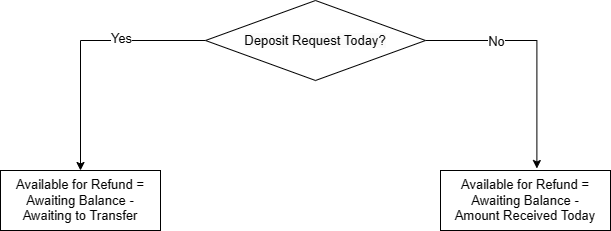
To process a refund, you must have a sufficient available refund balance. The available refund balance is calculated as follows:
- If you have an "Awaiting to Transfer" balance, then your available refund amount = Awaiting Balance - Awaiting to Transfer.
- If you don't have an "Awaiting to Transfer" balance, then your available refund amount = Awaiting Balance - Amount Received Today.
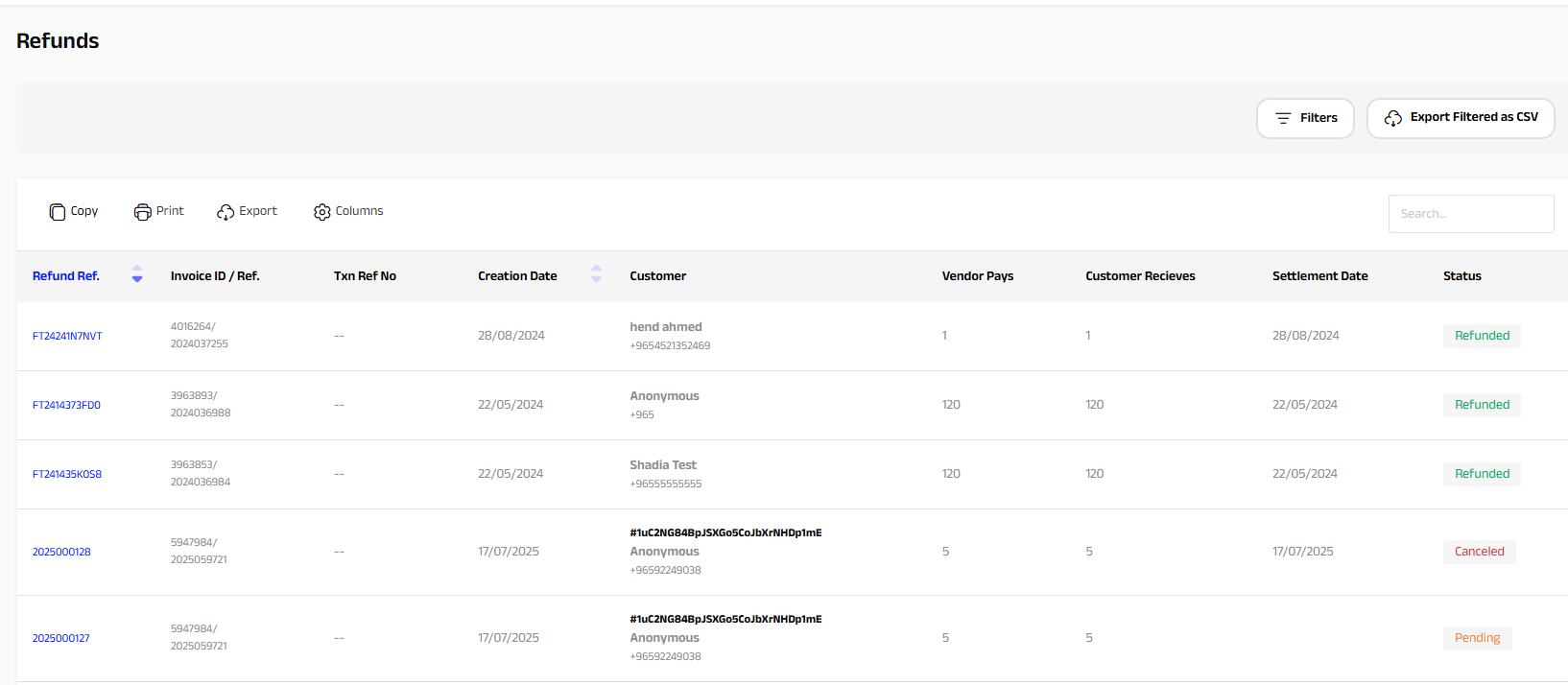
You can also follow up on the refund request status from your MyFatoorah portal account as follows:
- Log in to the Myfatoorah portal using your Super Master Account.
- Navigate to Refunds → Refunds List.
- You will have the full information about all your refund requests.
Updated 2 months ago