

Google Pay Native Integration
Introduction
Google Pay enables fast and simple checkout experiences on your website or mobile application, giving you access to hundreds of millions of cards saved to Google Accounts worldwide. It enhances user experience by allowing customers to complete payments quickly and securely using their saved payment credentials.
MyFatoorah provides Google Pay Native integration that allows you to handle your front-end interactions completely, this gives you the desired flexibility. However, this also means that you need to handle a few interactions with Google to support Google Pay.

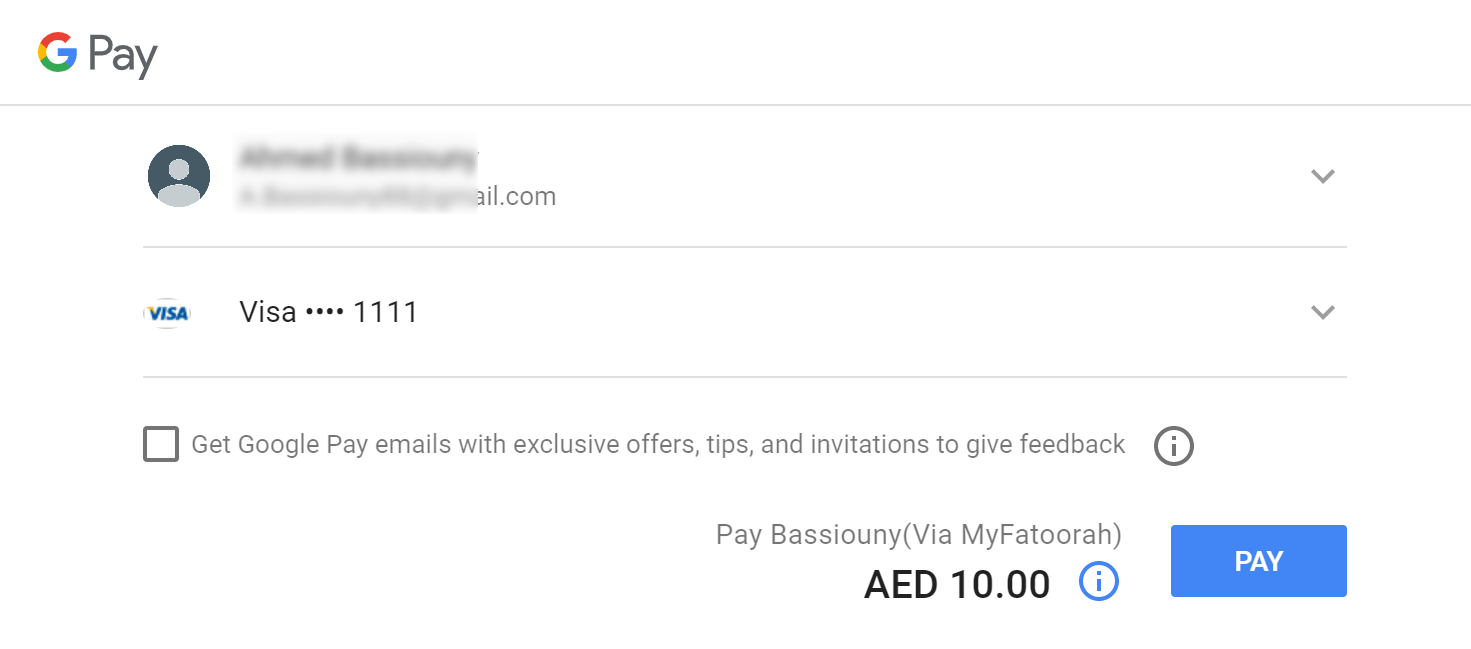
Google Pay Payment Sheet Page
NoteYou can integrate Google Pay directly with our Embedded Integration without needing to make the steps outlined here.
For more details, please check this link: Embedded Payment
Google Criteria: Must be Applied
- Web integration developer documentation.
- Brand Guidelines.
- Integration checklist.
- Your website must include a link to the Google Pay Google Pay™ terms of services. and communicate that these terms apply whenever the Google Pay service is offered.
- You will need To contact Google via the Business Console so that they can add your app to their system for production use and to get the value of merchantId.
Integration Flow Steps
The following Events and functions are needed to be handled in integration with the Google Pay API:
- isReadyToPay: This function is to determine a user's ability to return a form of payment from the Google Pay API.
- onPaymentAuthorized Event: This method is called when a payment is authorized in the payment sheet.
1. Add Google Pay button container
You will need to add an HTML div element like below.
<div id="gp-container"></div>2. Load Google Javascript file
You will need to load the Google Pay Javascript file first, as mentioned here.
3. Identify your payment processor
You need to identify the payment processor in the TokenizationSpecification message to google. Google will use these identifiers to encrypt the Payment token using the Public key of the Payment processor.
"tokenizationSpecification":
 {
    "type": "PAYMENT_GATEWAY",
    "parameters":
    {
        "gateway": "myfatoorah",
        "gatewayMerchantId": "YOUR_GATEWAY_MERCHANT_ID" // add your gateway merchant id
    }
 }
4. Define the supported payment card networks
const allowedCardNetworks = ["AMEX", "MASTERCARD", "VISA"];
const allowedCardAuthMethods = ["PAN_ONLY", "CRYPTOGRAM_3DS"];
Supported Card Networks & Authentication Methods Configuration1- Currently only allowed card networks value are: AMEX, MASTERCARD, VISA.
2- MyFatoorah supports both PAN_ONLY and CRYPTOGRAM_3DS authentication methods:
- PAN_ONLY - the card is stored on file within your customer's Google account and not bound to an Android device.
- CRYPTOGRAM_3DS - the payment credentials is bound to an Android device.
The Difference between PAN only and Cryptogram lies in the way authentication/3D Secure is handled:
- PAN Only: 3DS/Authentication is handled through MyFatoorah in the usual way.
- Cryptogram: Authentication is handled by the device, e.g. by using the devices fingerprint sensor. This is limited to Android devices, using the Google Chrome browser! All other devices and browsers will always chose PAN Only!.
5. Set the Google Pay environment.
const paymentsClient = new google.payments.api.PaymentsClient({environment: 'PRODUCTION'}); //value TEST for test environment6. Add Callback intents
function getGooglePaymentDataRequest() {
        paymentDataRequest.callbackIntents = ["PAYMENT_AUTHORIZATION"];
        return paymentDataRequest;
    }
7. Handle Google Pay Button Click.
Register for the user clicks and load the the payment sheet by calling loadPaymentData().
function onGooglePaymentButtonClicked() {
    // ...
    paymentsClient.loadPaymentData(paymentDataRequest);
    // ...
}
After the client click Google Pay button, the payment sheet will be shown.
8. Handle Pay Button Click (payment sheet)
When the client clicks pay button onPaymentAuthorized will be called with the paymentData. The paymentData will be sent to MyFatoorah as a token parameter.
Endpoint: POST /v3/payments
{
    "PaymentMethod": "GOOGLE_PAY",
    "SourceOfFund": {
        "Token": "{\r\n  \"apiVersion\": 2,\r\n  \"apiVersionMinor\": 0,\r\n  \"paymentMethodData\": {\r\n    \"description\": \"Test Card: Visa\u2006\u2022\u2022\u2022\u2022\u20061111\",\r\n    \"info\": {\r\n      \"assuranceDetails\": {\r\n        \"accountVerified\": true,\r\n        \"cardHolderAuthenticated\": false\r\n      },\r\n      \"cardDetails\": \"1111\",\r\n      \"cardFundingSource\": \"CREDIT\",\r\n      \"cardNetwork\": \"VISA\"\r\n    },\r\n    \"tokenizationData\": {\r\n      \"token\": \"{\\\"signature\\\":\\\"MEUCIGpmtS\/vFhaVppmCDEFnnqpW6Z\/Ap8FObackeHeg\/AsCAiEAyK60CXAMFtfktc+UlL9F6IjhKE17UBLbgDDjFqIDKpg\\\\u003d\\\",\\\"intermediateSigningKey\\\":{\\\"signedKey\\\":\\\"{\\\\\\\"keyValue\\\\\\\":\\\\\\\"MFkwEwYHKoZIzj0CAQYIKoZIzj0DAQcDQgAEogjhVC1el9s05o7nKyKMBor9TKpVzDYj+9kxZ44MS4zlG2iNl3U23xOXSAP7b8EN2HyPvdmy26cvJCHy1ji+kw\\\\\\\\u003d\\\\\\\\u003d\\\\\\\",\\\\\\\"keyExpiration\\\\\\\":\\\\\\\"1761675618059\\\\\\\"}\\\",\\\"signatures\\\":[\\\"MEQCIF5pYwYHq+Zd8an7G4fO24Fna\/VP3fCFZ0BxTlY+R610AiA8TJAY28fMLsfOuNZsgRTUPzMxnJ+uMaWfzn\/JA701vg\\\\u003d\\\\u003d\\\"]},\\\"protocolVersion\\\":\\\"ECv2\\\",\\\"signedMessage\\\":\\\"{\\\\\\\"encryptedMessage\\\\\\\":\\\\\\\"R6bWvTChN4dn\/vrByJinbyBYZlkskHO7KzfIPc49lZzKs\/+5rFFkWGGgFQ2r9T\/+w1idYXPxruImLsBpO8mW3hdf6TnuKQD6\/zsk0lKJDtzCcwebS2mxQhheS0diWy5ZoJ00hc7Q+SQ+spjCAkRCVkDlyj679XaF56FR7sVzCBPeTrgoURP7NctFcCfkkfZsG76TtzT\/1pC+bRuLGa7KHKwTpGgMCGrrlj8aAEP8D9pzNwYCD9ofcUu84FGJYfIJ77zSddEC2NUKu7c6U+nIj5uqvaQdYLOOCwpogdIF+8HoUaDGcCwdjm7\/j90CjgUbehjziH75spy72XnM6cGf3Og494Cwmrz\/tM6A4ffsmNaQQRLGWDjqNzZp1pWxEflnySA+MDrvWsitN0V5roVObAhzIpYIY\/kPXy\/z07vTdhdNB3iFc9HSuJFop6jAS+32HdB7DNv5f5M3j9e1u1hvNmb9OrXTkpqA96gLwnLLRvCVL\/oFDtMueFdCIIIfOUOK6sOXgp7g\/uqW7RFKfMqDQ2anONmeLfPGXky4tgnPpPL5hUl8WghIgOpcNY5ZwD6jXjPzQ5ClcCs01KAr4bxlvKM\\\\\\\\u003d\\\\\\\",\\\\\\\"ephemeralPublicKey\\\\\\\":\\\\\\\"BDFUuu3yEANn9yCaA67+7KocHDCayJGSV7bofHphwvDHo+YUulTY1k6oguUZ3ZqCrAr2fOyjBT73aRq3c1Ao90M\\\\\\\\u003d\\\\\\\",\\\\\\\"tag\\\\\\\":\\\\\\\"tq5F16Vi464Xd\/OtbaQd9Ts7I8mbuzdqyEQVwgQcBRI\\\\\\\\u003d\\\\\\\"}\\\"}\",\r\n      \"type\": \"PAYMENT_GATEWAY\"\r\n    },\r\n    \"type\": \"CARD\"\r\n  }\r\n}"
    },
    "Order": {
        "Amount": 23
    },
    "IntegrationUrls": {
        "Redirection": "https://your-website.com/payment-callback"
    }
}
{
"IsSuccess": true,
"Message": "",
"ValidationErrors": null,
"Data": {
"InvoiceId": "6220414",
"PaymentId": "07076220414309685873",
"PaymentURL": "https://demo.MyFatoorah.com/En/KWT/PayInvoice/MpgsAuthentication?paymentId=07076220414309685873&sessionId=SESSION0002746342720E03853514F4",
"PaymentCompleted": false,
"TransactionDetails": null
}
}Updated 8 months ago